
Video Tutorial-Manage Multiple Sites
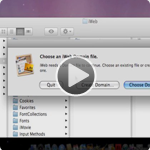
So your iWeb is getting pretty packed with pages and multiple sites and maybe even your band asked you to create a website for them and you don’t want to combine it with all your personal webpage files in iWeb. How do you create a whole new iWeb file and jump back and forth between your sites. Well this video shows you all of that. You can have as many iWeb files as you’d like. iWeb has no file>open option so learning this trick will help you make multiple sites and be able to jump between them as you please.
For OS X Lion Users
If you’ve install OS X Lion on your mac then you’ll need to do this a bit differently. Simply download my application below and every time you launch it Lion will ask you to choose your iWeb domain file that you want to open. Enjoy!















Thanks for the tip. It surely makes a lot of difference, if you can control the sites this way. In addition, I also tend to have one folder per project with a folder containing the iWeb domain file and another containing the published contents. This way I have all assets next to each other when I need to change anything.
Cheers
Hisham
Is there any way I can separate websites I’ve already created with iWeb, or is this only for new websites?
Chris, just duplicate your current iWebsite, then open each one and delete the sites/pages you don’t need.
I have the same problem as Chris and need to seperate my sites. How exactly do I duplicate my current 3 sites?
Thanks for this great support. Much appreciated.
Have now 2 websites running OK!!
Can you publish multiple sites to Mobile Me or do you have to host them on different servers, ala Go Daddy?
You did not mention that this does not work for publishing to MobileMe. I had approximately 20 sites all in one domain file and all published to MobileMe. I duplicated the file and renamed it. Then, I opened iWeb by clicking on that new file and deleted the other sites in it so that it would represent just the one site. When I published it to MobileMe, it took all my other sites off the internet. Did I do something wrong or does this multiple site technique not work with MobileMe?
This does work with MobileMe, you just have to understand how it works. MobileMe will have the most recent published iWeb as the main start page. So if you have two (or more) iWeb files, which ever you last published will be the one that it goes to when you go to web.me.com/username you can however still visit all the other sites by going directly to their respective site folders, for example web.me.com/username/sitename
Hope that helps.
I am sorry, but that does not make any sense to me. I don’t know if I did not communicate well what I was trying to get across. In your reply, you mentioned going to the other sites by going to their site folders, but I’m talking about the sites themselves being gone when someone types in the domain name that I have purchased from godaddy. All my sites were removed from the internet except for the one in the new domain folder. I don’t feel like I am explaining this well though.
Publishing to MobileMe does not take other sites off the server. You can double check that all your sites are still on your server by going to your iDisk. Look in the Web > Sites > and here you’ll see all your other sites. I’ve got many different sites that all have gone to MobileMe. Just remember that the index.html changes on the server to point to the most recently publish site. So be sure to use direct links to the sites you’re linking to.
I think what flukstar meant was the same problem im having, so like me he had a website, in mobile me account settings the personal domain name is that website. in order to publish website 2 to a different domain you need to change the personal domain to the domain of website 2. when you go to delete website 1 domain in mobileme account settings a window pops up and clearly states if you delete on site in place of another then your content will no longer be able to be viewed.
make sense?
Hello.
FIrst off thanks for being so patient and nice… I just watched your video and read all the comments its tough finding someone on the net who is willing to take the time to help. so thanks.
So here is my problem… I have my own website. http://www.killallartists.com.au. I designed the site in iweb. I bought the domain name from crazydomainnames.com.au and i publish using mobile me.
thanks to you i now know how to make a second website (for my friends business) but how do i publish that site using her mobile me account to her domain name that she bought www,themodelfactory.com.au but from my laptop?
sorry hope that makes sense.
S :)
Hi Sophie, that’s pretty simple actually. First just follow the steps above to create a new iWeb file for your friend. Design the site and such, then to publish to their MobileMe, you first need to put your friends MobileMe username and password into the System Preferences on your computer. Once you’ve enter them into the system prefs, then you just click on the site folder in iWeb and you get the option to publish to MobileMe, FTP, or Local Folder. Choose MobileMe and hit publish. It will then probably ask you if you give permission to publish to MobileMe just click “Always Allow” and the site will publish to that MobileMe account that was entered into the system preferences. Once it’s done, test it to make sure it published correctly, then you can remove the users mobileme account from the prefs and you’ll be good to go.
Alternatively if I need to publish to someone else’s MobileMe account I usually go into the a separate User account on my Mac (usually the guest account if you have it enabled) and do there. That way it doesn’t fiddle with any of my personal mobileme settings.
Hope that makes sense.
Hi! me again. So this time i have my website http://www.killallartists.com.au and i have another website http://www.daisyandjack.com.au which is my other business. I have done what you showed above and made a sep. web file in iweb for my new website, i have now logged on to mobile me to publish it and it doesnt give me a option under PERSONAL DOMAIN to ad another domain, i have to delete my killallartists one first. Is this correct?
If i delete it and list daisyandjack.com.au as my personal domain what will happen to my killallartists one?
thanks
soph
Can you use this to move iWeb projects from one computer to another. Such as if you are working on project on your desk top but want to work on it when you are out on your laptop?
I don’t even understand how I stopped up here, however I thought this submit used to be good. I don’t recognise who you are however certainly you are going to a famous blogger when you aren’t already ;) Cheers!
Some genuinely superb articles on this internet site , appreciate it for contribution.
I love the multiple site files. Would be great if this were a natural function. however, all of a sudden it will not open any file that is not named domain. I have several sites that I now have to change the name to domain, edit the site, then change the name back. Is this due to an update with iWeb itself or have you heard of a connection to lion?
Yeah, it’s only in lion. Check my recent Tweet and Facebook post for the solution.
I utilized your great method for managing multiple sites but I’ve run into a problem.After I remove the site folder from the iWeb folder, I don’t have it anymore. Once I save and publish the site to a local folder, all of the elements are in a Firefox users folder, not an iWeb source format. It appears I’ve basically lost my elements.
How can I convert these elements back into an iWeb site folder so I can work on my site?
Thanks
btw: the Paypal donation from rocknroadautoparts was from me.
You can certainly see your expertise in the chore you write. The world hopes for composed more earnest writers like you who are not timorous to say how they believe. Each continue after your heart.
The handwriting refinement is higher-ranking and the import is relevant. Thanks benefit of the acumen you lend the readers!
Hi!
Tried this on Lion. But now i cant find any of my sites… I have only one domain file (somewhere) have not get around to separate it yet. But no i can’t find the one i already have. Scary since i have 14 of them..
I downloaded the iWeb Launch App. I’d rather simply manage my sites in a stack and select which one I want to open. Unfortunately, this is now broken after installing your app. Is there a way to uninstall?
Please help!
I just could not leave your site before suggesting that I really loved the standard info a person supply for your visitors? Is gonna be back frequently in order to check up on new posts
More context needed…
It would be super if you would list a few related resources for added reference….
Sweet, as always great advice thanks for share :)