
Video Tutorial – Meta Tags in iWeb
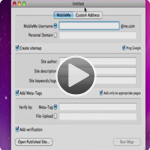
Edit: I’m leaving Jason’s post below, but I wanted to show you guys a much much much easier way to add your meta tags to your iWeb website. I never recommend iWeb users to edit the HTML on their site. It’s really not necessary, especially with the resources made available to us. So watch this video on how to add meta tags to your iWeb website. You’ll also see how to add other items such as Title Tags, Alt Text, Meta Description, and codes for Google Analytics and Statcounter.com. If you have any comments or suggestions, please let me know!
Need a little more help in the search engine war with your iWeb site? Well this tutorial will show you how to add Meta Tags to your iWeb pages.
Meta Tag Code:
Description:
<meta name="description" content="Your site description here. Don't go over 150 characters."/>
Keywords:
<meta name="keywords" content="your, keywords, here, seperated, by, commas, don't, do, more, than 7, to, 10, keywords"/>
Author:
<meta name="author" content="Your Name or Company Here">














Does not work: how are we supposed to open a pulished site when we can only access it via ftp ? iMap also fails when asked to tag a local file… Try something else, folks, and save 10€ !
Sorry this hasn’t worked for you. It has and continues to work for me. You are supposed to access it via FTP, only via the iDisk or via a local folder.
I have had similar problems with iMap. I checked out the script with coda and there are a lot of faults. Basically checked the meta tag codes above and added the missing symbol to the html script. What does not work in Guimke is my site title and also the verification meta tag.
when I upload the html files manually through fetch, I get question marks in diamonds in place of punctuation marks and such. How can I resolve this problem?
Thanks
Hey Jason,
I purchased IMap, followed your tutorial exactly, however, Google Webmaster continues to fail when asked to verify the meta tag supposedly existing in the code. Says it can it can’t find the meta tag. Any advice?
Thx gerald
Thanks Jason, terrific tutorial. Pardon if you have mentioned this info site as well in another video, http://www.websitegrader.com does a thorough job of helping web masters know what SEO ‘bits’ need to be improved. Take care and keep up the informative videos.
I made all the appropriate changes to the html coding in txt edit, and saved all changes. How do I upload my site without iWeb overwriting all the changes I made? I’m a beginner, obviously.
I cannot find anything in IWeb that allows meta-tags. Would you explain how to find it? I am not using apple for my host. Do I have to use apple for my host to be able to have meta tags?
Hello. After viewing your tutorial I purchased Guimkie iMap, yet after downloading it it will not launch! I right-clicked on the iMap icon on my desktop and the version is 2.7, which according to Guimkie’s website only works with OS X Leopard. I run OS X Tiger, but their website says that the basic iMap app works with Tiger; you only have to be running Leopard if you upgrade to v2.7. However, there are not 2 options when purchasing; there is only a one-click purchase option, and this apparently gets you v2.7 whether you want it or not. So, now I have an app I paid for that does not work on my Mac.
Why am I telling you all of this? BECAUSE YOU RECOMMENDED THE APP! And Guimkie’s site says they do not offer much support and rarely respond to email.
Nice.
hey, thanks for the tutorial.
I have one question, after I edit the iweb html in coda, ( the trial version ) I can save the changes no problems, but when I publish the changes through iweb’s ftp and check the source codes the original code without the new metatags remains?
Do I have to publish the changes through coda or is it just a limitation of the trial version ??
Secondly I tried to simply edit, for example my welcome.html in text edit, copy and pasted the new meta tags, ( checked the boxes for plaintext etc in textedit) and renamed the file welcome.html and replaced it in my site and then re published again but the original html codes remains?
What am I doing wrong?
Thanks for your time putting the site together, it’s been a great resource
Thanks for sharing this to all of us.
Karen Millen Dress Becomes 1st Option for Girls During Shopping
Attention all bargain ladys!Brand Karen Millen Dress Clearance Sale has been held once more this July 1st and 2nd at our Karen Millen Dress Outlet Store. With every item once more heading out the door, patrons are certain to look for a most sought-after item. The caliber of the Karen Millen Dress is more superior than ever with donated clothing being brand name, factory or used however in excellent condition.
With the local economy still attempting to make ends meet on the household level, any savings that may be made are a blessing. Lifeline Sunshine Coast Business Manager Ian Ezzy said new clothing is an expense that lots of households just can’t entertain or it is often at the end of the household budget.
Karen Millen have constructed a variety to enable you to get more closet with a few key pieces which are wearable through the seasons. Order Cheap Karen Millen at reasonable price here, they are simply worth each and every penny. Amy seemed to be experiencing the chance to be featured within the magazine, pouting and posing her way with the shoot – and also at one point sitting precariously on a bollard on the street while resting her feet on the crate.
black karen millen dress
This seems all straight forward, if a bit fiddly.
So..
I’ve made site,
edited the code in Komodo edit…
saved
using Fetch FTP dragged and replaced the home page with new tags in place…
and forst attempt, the site went crazy, all text moved and went wrong?
im trying a second time now….
using iweb SEO Tool doesn’ seem to put the stuff in best place at top of code…
I’m trying again now….
HI.
Great Advice.It works.
Using iweb is great, but we have to self learn so much SEO and code tags info.
Ive tried to hard to add tags and SEO via iweb help and sites, but think getting into the code and lietrally pasting it in is the way that sites really get search results,
i have done as above, and http://www.andrewbeswick.co.uk/fabulous208_Home.html ( a fun site i made) now has relevant tags and descriptions…. which i hope will make all the difference on search engines…
ps – using google web tools helps too.. but this hard code instruction seems best.
any advice on SEO adding!